
Instagram has evolved into a visual-first platform where photos, videos, Stories, Reels, carousels, and branded graphics all play an important role. Creating consistent and attractive content can be challenging when you are managing everything from a smartphone or working with limited editing experience.
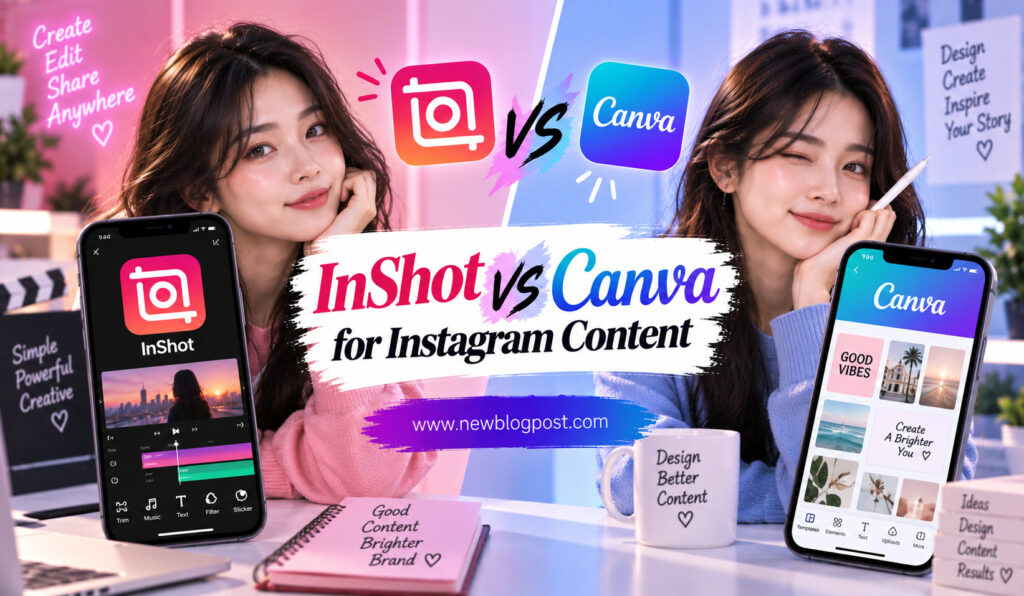
Two popular tools that can simplify this process are InShot and Canva. Both are beginner-friendly, but they are designed around different types of content creation. InShot focuses heavily on mobile video and photo editing, while Canva is built around graphic design and has expanded into social media video creation.
Choosing between them depends on what you post most often. If your Instagram strategy is centered around Reels and video editing, InShot may provide the tools you need. If your content relies on branded graphics, templates, carousels, Stories, and visual consistency, Canva may be a better fit.
This guide compares InShot and Canva for Instagram content so you can decide which platform fits your creative workflow.
InShot vs Canva: What Is the Difference?
The biggest difference between the two platforms is their primary purpose.
InShot is a mobile-focused editing app built around creating and modifying videos and photos. Its workflow is particularly useful when you already have footage on your phone and want to turn it into a polished Instagram post or Reel. Trimming, splitting, speed adjustments, music, transitions, filters, text, stickers, and other editing tools are central to the experience.
Canva takes a design-first approach. It provides templates and creative tools for Instagram posts, Stories, Reels, carousels, advertisements, presentations, and many other formats. Its video editor is part of a larger design ecosystem, which makes it especially useful when text, graphics, layouts, and branding are important.
In simple terms, InShot is more video-editing focused, while Canva is more design-focused.
InShot for Instagram Content
Why Choose InShot?
InShot is particularly useful for creators who produce video content directly from their smartphones. Its editing workflow makes it easy to take several clips, remove unwanted sections, rearrange them, add music or voice-over, and turn them into a finished social media video.
This makes InShot a natural choice for Instagram Reels, short tutorials, travel videos, product demonstrations, behind-the-scenes clips, and lifestyle content.
The app also supports photo editing, so you can make adjustments to images without switching to another application. This combination can be useful for creators who want one mobile tool for both photos and videos.
InShot’s Video Editing Strength
Video editing is where InShot has a clear advantage. The app provides tools for trimming and splitting clips, controlling speed, adding transitions, applying filters, adjusting colors, inserting text, and working with music.
Creators can also use effects and overlays to add more personality to their videos. For example, a simple product video can be enhanced with animated text, background music, transitions, and a subtle color adjustment.
InShot is designed to make these tasks accessible without requiring users to understand a complicated professional editing timeline.
Canva for Instagram Content
Why Choose Canva?
Canva approaches Instagram content from a broader visual-design perspective. Instead of focusing mainly on footage, it gives users a large workspace for combining photos, videos, text, illustrations, shapes, animations, and other visual elements.
This makes it particularly useful for businesses, marketers, influencers, educators, and creators who want a consistent visual identity across their Instagram profile.
Canva’s templates can also reduce the time required to create content. Instead of designing a post or Story from a blank page, you can start with an existing layout and customize it with your own images, text, colors, and branding.
Canva’s Biggest Advantage: Design
Canva’s strength becomes particularly clear when an Instagram strategy includes multiple content formats. A creator might need a Reel cover, carousel, Story, promotional graphic, announcement, and quote post in the same visual style.
Rather than treating each piece of content as a separate design project, Canva makes it easier to establish a consistent visual language.
This can be valuable for businesses that want recognizable colors, fonts, logos, and layouts across their social media presence.
InShot vs Canva for Instagram Content
| Feature | InShot | Canva |
| Primary Focus | Video and photo editing | Graphic design and content creation |
| Best For | Reels and video posts | Branded posts, Stories, Reels and carousels |
| Video Editing | Excellent | Good |
| Graphic Design | Good | Excellent |
| Templates | Good | Excellent |
| Music and Audio | Excellent | Good |
| Transitions | Excellent | Good |
| Branding | Good | Excellent |
| Captions and Text | Very Good | Excellent |
| Photo Editing | Very Good | Excellent |
| Ease of Use | Very High | Very High |
| Multi-Format Content | Good | Excellent |
The table shows that neither app completely replaces the other. InShot is more specialized for editing media, while Canva is more versatile for creating a complete Instagram content system.
Which App Is Better for Instagram Reels?
For creators whose primary focus is Reels, InShot generally offers a more natural editing workflow. You can work directly with video clips and make detailed changes to timing, speed, transitions, music, and effects.
Canva can also create Reels, especially when the video contains a lot of text or graphic design. For example, a business announcing a sale or launching a product may find Canva particularly useful because the Reel can combine video footage with branded promotional graphics.
Choose InShot for Video-Heavy Reels
InShot is a strong choice when your Reel starts with raw footage. If you regularly record yourself talking, demonstrate products, film travel clips, or create fast-paced sequences, a dedicated video editor can make the process more efficient.
You can focus on cutting the footage, improving the pacing, adding music, and creating transitions without spending too much time arranging design elements.
Choose Canva for Design-Heavy Reels
Canva becomes more attractive when text, graphics, and brand identity are central to the Reel. It can be useful for educational videos, announcements, promotional content, quote videos, and other formats where visual information needs to be carefully designed.
The template-based approach also helps businesses create recurring Reel formats without rebuilding the layout each time.
InShot vs Canva for Instagram Stories
Both apps can be used for Instagram Stories, but they serve different purposes.
InShot is useful when your Story is based on video footage. You can quickly crop a clip, add music, adjust its speed, insert text, and export it in a vertical format.
Canva is particularly strong when a Story needs designed elements. Poll announcements, product promotions, event invitations, sales graphics, testimonials, and informational slides can be created quickly using templates and visual layouts.
For video-first Stories, InShot has an advantage. For graphic-heavy Stories, Canva is usually more flexible.
Which Is Better for Instagram Posts and Carousels?
Canva has a clear advantage for traditional Instagram posts and carousels. Its design tools allow you to create multiple slides that share the same fonts, colors, layouts, and visual elements.
This is useful for educational carousels where each slide needs to communicate information clearly. It is also helpful for businesses that want product posts, announcements, promotional graphics, and other visual content to follow a consistent brand style.
InShot can handle photos and simple graphic edits, but it is not primarily designed around creating multi-slide visual campaigns.
Music, Audio, and Effects
If music and audio are central to your content, InShot is generally the stronger choice. Its video-first workflow makes it easier to arrange audio alongside footage, adjust timing, add voice-over, and use effects and transitions.
Canva also supports music and audio for social video projects, but its main strength remains the combination of video with design elements.
For a music-driven Reel, InShot is likely to feel more natural. For a promotional video where background music sits behind branded graphics and text, Canva may be more than sufficient.
Branding and Content Consistency
Canva has an important advantage for businesses that need consistent branding. A company can establish its visual style and use it across many types of Instagram content.
This can include:
- Brand colors and fonts
- Logos and graphic elements
- Reusable social media templates
- Consistent layouts for recurring posts
InShot can certainly be used to add logos, text, colors, and other branded elements to videos, but Canva’s design-focused environment makes this type of consistency easier to manage across different formats.
Ease of Use for Beginners
Both platforms are beginner-friendly, but the learning experience is different.
InShot is easy to understand if your goal is to edit a video. The basic process is straightforward: import footage, make cuts, add elements, adjust the video, and export.
Canva is similarly approachable, particularly for users who prefer templates and drag-and-drop design. If you have little experience with video editing, Canva can feel less intimidating when creating content that is primarily text and graphics.
The better option depends on what you find more intuitive: editing a timeline or arranging visual elements on a design canvas.
Can You Use InShot and Canva Together?
Absolutely. In fact, using both can create an efficient Instagram workflow.
You could edit your raw footage in InShot, including trimming, music, transitions, and speed adjustments. Then you could use Canva to create branded covers, carousel posts, Story graphics, or promotional assets that complement your videos.
Another option is to create graphic elements in Canva and bring them into InShot as part of a video project. This approach gives you the design flexibility of Canva and the video-editing control of InShot.
Which One Should You Choose?
The decision becomes easier when you consider the type of content you create most often.
Choose InShot if your Instagram strategy is mainly based on video, Reels, tutorials, travel clips, product videos, or music-driven content. Its mobile editing workflow is designed to help you turn raw footage into finished social videos quickly.
Choose Canva if your strategy includes carousels, branded graphics, Stories, promotional designs, and visually structured Reels. It is especially useful when maintaining a consistent brand identity is important.
If you manage a business account with several content formats, using both may actually be the most practical solution.
Final Verdict
InShot and Canva are both excellent tools for Instagram content, but they solve different problems. InShot is the better choice for creators who want a dedicated mobile video and photo editor, while Canva is stronger for design-led social media production.
For Reels built around raw footage, music, transitions, and video effects, InShot has the advantage. For carousels, branded graphics, promotional Stories, and design-heavy Reels, Canva is the stronger option.
If your content begins with a camera roll full of video clips, start with InShot. If it begins with a visual concept, brand template, or promotional message, Canva may be the better starting point.
For many Instagram creators and businesses, there is no need to choose just one. Using InShot for video editing and Canva for design can provide a flexible workflow that covers almost every type of Instagram content.
Frequently Asked Questions
1. Is InShot or Canva better for Instagram Reels?
InShot is generally better for video-heavy Reels because it focuses on trimming, speed controls, music, transitions, effects, and other editing tools. Canva is better when the Reel relies heavily on text, graphics, and branding.
2. Is Canva better than InShot for Instagram posts?
Canva is usually the stronger option for Instagram posts, especially carousels, promotional graphics, quotes, announcements, and branded designs. Its template-based design workflow makes it easier to create consistent visual content.
3. Can InShot and Canva be used together?
Yes. You can edit video footage in InShot and use Canva for branded graphics, Reel covers, carousel slides, and Story designs. Combining both tools can provide more flexibility than relying on one platform alone.
4. Which app is easier for Instagram beginners?
Both are beginner-friendly. InShot may be easier for someone who primarily wants to edit videos, while Canva can feel simpler for users who want to create posts, graphics, Stories, and template-based content.
5. Which is better for business Instagram content?
Canva generally has an advantage for businesses because of its strong branding and design capabilities. However, InShot can be the better choice for businesses that publish frequent video-based content such as Reels, product demonstrations, tutorials, and behind-the-scenes videos.