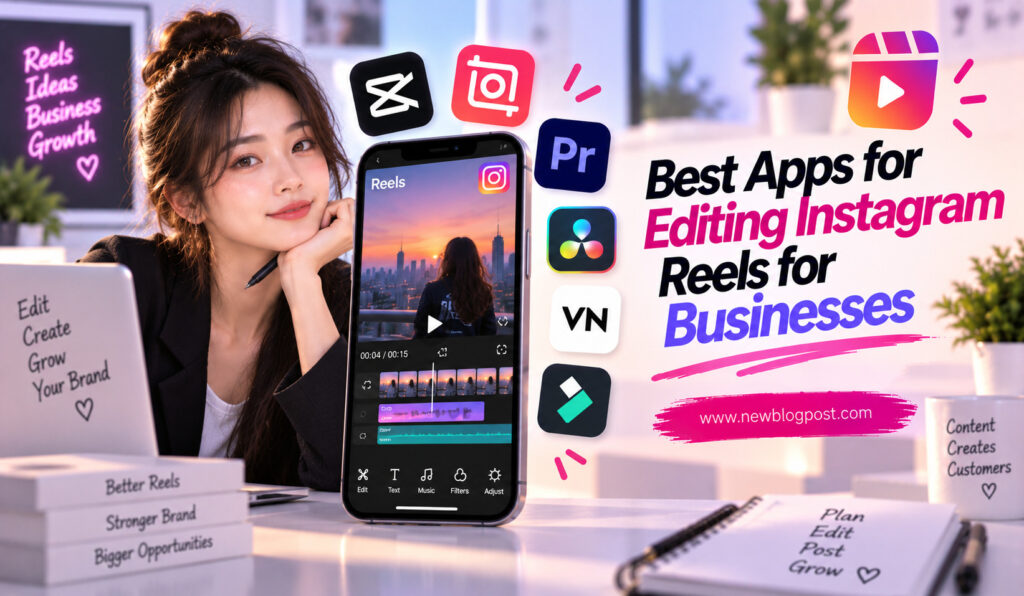

Instagram Reels have become an important marketing tool for businesses that want to attract attention, explain products, build brand awareness, and connect with potential customers. A well-made Reel can communicate a product benefit, answer a customer question, showcase a service, or introduce a brand in a few seconds.
However, creating effective business Reels requires more than recording a video and uploading it. Businesses need clean cuts, readable captions, consistent branding, balanced audio, attractive visuals, and a professional presentation. The right editing app can make this process faster while helping a business maintain a recognizable style across its content.
Fortunately, you do not need expensive desktop software to produce polished Reels. Several mobile and browser-based editing apps now provide templates, captions, animations, brand tools, audio editing, transitions, and other features designed for short-form content.
What Should Businesses Look for in a Reels Editing App?
Businesses have different editing requirements from casual creators. A personal Reel can be edited differently every time, but business content often needs to follow a consistent visual identity.
A useful business-focused editing app should make it easy to reuse templates, maintain brand colors and fonts, add logos, create captions, resize content, and export videos in suitable formats. Collaboration can also be important when multiple people are responsible for marketing content.
The best app is therefore not necessarily the one with the most effects. It is the one that helps a business produce high-quality content consistently without making every Reel a time-consuming project.
Important features to consider include:
- Reusable templates and branding tools
- Captions, text animation, and audio controls
- High-quality vertical video export
- Easy workflow for creating multiple Reels
Best Apps for Editing Instagram Reels for Businesses
1. Meta Edits
Meta Edits is particularly relevant for businesses that focus heavily on Instagram. It provides an Instagram-oriented workflow for creating and editing short-form videos while keeping the publishing process closely connected to the platform.
For a business that regularly creates Reels, having an editing environment designed around Instagram can make content production more convenient. Features such as editing controls, captions, effects, and publishing tools can help reduce the need to move between multiple applications.
Edits can be especially useful for businesses that want to record content quickly, make adjustments on a phone, and move it toward Instagram publishing without a complicated workflow.
The main advantage is its Instagram-first approach. If Instagram is the central platform for your video marketing, that integration can be more valuable than having hundreds of unrelated editing features.
2. Canva
Canva is one of the strongest choices for businesses that care about branding. Its combination of video editing and graphic design makes it particularly useful for companies that want every Reel to follow a consistent visual identity.
Businesses can create templates using their preferred fonts, colors, logos, graphics, and layouts. Once a template is established, team members can reuse the same structure for future videos rather than starting every project from scratch.
Canva is especially effective for product announcements, educational Reels, promotional content, quote videos, event promotions, and videos where text and graphics play a major role.
It may not provide the same depth of timeline editing as a dedicated professional video editor, but its strength lies in consistency and efficiency.
3. VN Video Editor
VN Video Editor is a strong option for businesses that want detailed editing controls without relying entirely on templates. Its multi-layer timeline allows creators to combine video, images, text, music, voice-over, and other elements.
This is useful when a business wants more control over how its Reel looks and sounds. Keyframes can be used to animate graphics, while speed controls and transitions can help create more dynamic product demonstrations or promotional videos.
VN is also suitable for teams that want to develop their own editing style rather than relying on ready-made templates. Once an editor becomes comfortable with the timeline, creating repeatable workflows becomes much easier.
4. InShot
InShot is a practical choice for small businesses and solo entrepreneurs who want to produce Reels quickly from a smartphone. Its interface focuses on commonly needed editing tasks such as trimming, cropping, adding text, inserting music, adjusting speed, and applying filters.
For a local business owner who manages marketing without a dedicated video team, simplicity can be more valuable than advanced production tools. InShot allows users to turn phone footage into a social-ready Reel without spending hours learning complex software.
It is particularly suitable for restaurants, salons, retailers, fitness businesses, service providers, and personal brands that regularly create simple promotional or behind-the-scenes content.
5. Adobe Express
Adobe Express is another useful option for businesses that need a combination of video editing and branded design. It can help create social content with consistent visual elements while making it easier to work with templates and marketing assets.
Businesses that already use Adobe’s creative ecosystem may find Express convenient because it fits naturally into a broader content workflow. It can be useful for promotional Reels, announcements, product highlights, event content, and branded educational videos.
Its biggest strength for businesses is not simply video editing. It is the ability to combine design and social content production in one accessible workflow.
6. LumaFusion
LumaFusion is better suited to businesses that require more advanced mobile editing. It provides a deeper timeline-based environment with multiple layers and detailed editing controls.
For example, a business producing high-quality product demonstrations, interviews, professional promotional videos, or cinematic brand content may want more control than a basic mobile editor provides.
LumaFusion has a steeper learning curve than simple social editors, but that additional complexity can be worthwhile when video quality and editing precision are major priorities.
Best Business Reel Editing Apps Compared
| App | Best For | Ease of Use | Branding | Advanced Editing |
| Meta Edits | Instagram-focused businesses | High | Good | Good |
| Canva | Branded templates | Very High | Excellent | Medium |
| VN Video Editor | Detailed mobile editing | Medium | Good | High |
| InShot | Quick business Reels | Very High | Good | Medium |
| Adobe Express | Marketing and branded content | High | Excellent | Medium |
| LumaFusion | Professional mobile editing | Medium | Good | Very High |
The right choice depends on how your business produces content. A small business may value speed, while a marketing team may prioritize templates, brand consistency, and collaboration.
Why Branding Matters When Editing Business Reels
Personal creators can experiment with different styles from one Reel to another. Businesses usually benefit from visual consistency. When customers repeatedly see the same fonts, colors, tone, and presentation style, the content becomes easier to associate with the brand.
This does not mean every Reel needs to look identical. Instead, create a recognizable foundation and vary the content within that structure.
Create Reusable Reel Templates
Reusable templates can significantly reduce production time. A business could create separate templates for product launches, customer testimonials, educational tips, promotional offers, and behind-the-scenes videos.
Once the basic structure is ready, the team only needs to replace the footage, headline, product information, or call to action.
This approach can also reduce mistakes. Consistent placement of logos, colors, fonts, and other brand elements means there is less chance of accidentally publishing content that does not match the company’s visual identity.
How Businesses Can Make Better Reels With Editing Apps
A professional Reel does not need dozens of effects. Strong business content usually starts with a clear message. Viewers should quickly understand what the video is about and why they should continue watching.
For example, a product Reel could open with a problem, demonstrate the product as the solution, and finish with a simple call to action. An educational Reel could introduce a question, explain the answer, and encourage viewers to save or share the content.
Keep Captions Easy to Read
Captions are particularly valuable for business Reels because viewers may encounter the video without immediately listening to its audio. Use clear fonts, strong contrast, and enough screen time for people to read the message.
Avoid placing important text too close to the top or bottom of the video, where Instagram’s interface can interfere with visibility.
Focus on Consistent Quality
Businesses should establish a repeatable export workflow rather than changing settings for every Reel. Vertical 9:16 video is the standard format for full-screen Reels, while clear audio and sharp footage should remain priorities.
It is also worth watching the complete exported video before publishing. Check for spelling errors, abrupt cuts, missing captions, volume changes, and elements that appear too close to the edges.
How to Choose the Best App for Your Business
The right editing app depends on your team’s size, skill level, content style, and publishing frequency. If Instagram is your main marketing channel, Meta Edits can provide a convenient platform-focused workflow.
If brand consistency is the biggest priority, Canva and Adobe Express are particularly useful. For more hands-on editing control, VN is a strong option. InShot works well when speed and simplicity matter, while LumaFusion is better suited to businesses that need advanced mobile editing.
Consider these questions before choosing:
- Does the app support your required Reel format and export quality?
- Can your team create and reuse branded templates?
- Does the editing process fit the amount of time your team has available?
- Can the app handle the type of videos your business produces?
Testing one or two apps with the same piece of footage is often the easiest way to determine which workflow feels most efficient.
Final Thoughts
The best apps for editing Instagram Reels for businesses are not necessarily the ones with the most effects. Businesses need tools that make content creation consistent, efficient, and professional.
Meta Edits is useful for Instagram-focused workflows, Canva and Adobe Express stand out for branding, VN provides deeper manual control, InShot offers simplicity, and LumaFusion is suited to more advanced mobile production.
Whatever app you choose, the most important factor is how effectively it supports your content strategy. Create reusable templates, maintain consistent branding, use readable captions, keep the message focused, and avoid unnecessary effects.
When editing becomes a repeatable process rather than a different challenge for every Reel, your business can publish more consistently while maintaining a professional visual identity.
Frequently Asked Questions
1. What is the best app for businesses editing Instagram Reels?
There is no single best option for every business. Canva is excellent for branded content, Meta Edits is useful for Instagram-focused workflows, VN provides detailed editing control, and InShot is convenient for quick mobile edits.
2. Is Canva good for creating business Reels?
Yes. Canva is particularly useful for businesses that rely on branded templates, text, graphics, logos, and consistent visual designs. It can help teams create recurring Reel formats without rebuilding the design each time.
3. Which Reel editing app is best for a small business?
Small businesses often benefit from simple tools such as InShot, Canva, or Meta Edits. The best choice depends on whether the business prioritizes quick editing, branded templates, or Instagram-focused publishing.
4. How can businesses keep their Reels consistent?
Businesses can create reusable templates, establish brand colors and fonts, use consistent caption styles, and maintain similar visual and audio quality across their videos. A repeatable editing workflow also helps reduce mistakes.
5. Do businesses need professional video editing software for Instagram Reels?
Not necessarily. Modern mobile and browser-based apps provide enough tools for most business Reels. Professional software becomes more valuable when a company produces complex campaigns, high-end product videos, or longer-form content requiring advanced editing.